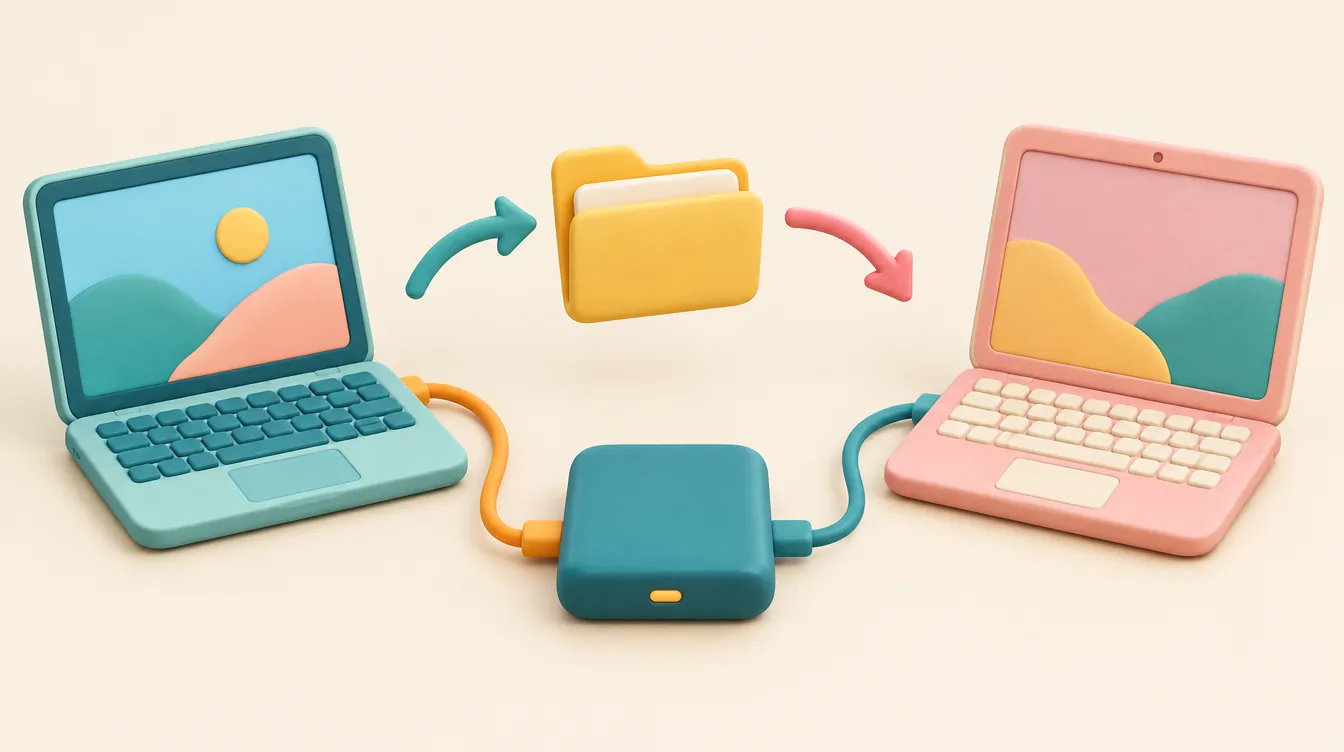
Yes—one external drive can read and write files on both macOS and Windows if it is formatted to exFAT and ships with the right USB cables. However, you should never use the same shared partition for Apple Time Machine backups, which require APFS or APFS Encrypted.
- Top Pick: Samsung T7 Shield 2TB (MU-PE2T0S/AM) — Pre-formatted in exFAT out of the box, hits 1,050 MB/s over USB 3.2 Gen 2, includes both USB-C-to-C and USB-C-to-A cables, and adds IP65 water and dust resistance.
- Runner-Up: Crucial X9 Pro 2TB (CT2000X9PROSSD9) — Compact anodized aluminum chassis with Micron TLC NAND, consistent sustained write speeds, and native exFAT formatting.
- Who Should Buy It: Households, students, and editors moving documents, photos, or project folders between Windows PCs and MacBooks without cloud upload delays.
- Who Should Skip It: Anyone seeking a dedicated Apple Time Machine disk or a Windows System Image drive—keep backup hardware isolated and formatted specifically for your backup software.
Top Cross-Platform External Drives Compared
| Model & Exact Part Number | Key Specs (Interface / Speed / Build) | Supplied Format & Cables | Best Use Case | Retailer & Price |
|---|---|---|---|---|
Samsung T7 Shield 2TB (MU-PE2T0S/AM) |
USB 3.2 Gen 2 (10Gbps), 1,050 MB/s read / 1,000 MB/s write, IP65 rubberized aluminum (88 × 59 × 13 mm, 98 g) | exFAT; includes USB-C to C and USB-C to A cables | Best overall for Mac & Windows file sharing | Check Live Price on Amazon |
Crucial X9 Pro 2TB (CT2000X9PROSSD9) |
USB 3.2 Gen 2 (10Gbps), 1,050 MB/s read / 975 MB/s write, IP55 anodized aluminum (65 × 50 × 10 mm, 38 g) | exFAT; includes USB-C to C cable (adapter needed for USB-A) | Ultra-compact creative workflows & laptops | $139.99 (MSRP $169.99) at B&H |
SanDisk Extreme Portable V2 2TB (SDSSDE61-2T00-G25) |
USB 3.2 Gen 2 (10Gbps), 1,050 MB/s read / 1,000 MB/s write, IP65 silicone-coated aluminum (100.8 × 52.6 × 9.6 mm, 52 g) | exFAT; includes USB-C to C cable + USB-A adapter | Field transfers & travel bags | $149.99 (MSRP $199.99) at Best Buy |
Seagate One Touch 4TB HDD (STKZ4000400) |
USB 3.2 Gen 1 (5Gbps), ~130 MB/s spinning 2.5" HDD, woven fabric & brushed metal (115.3 × 80 × 20.9 mm, 268 g) | exFAT; includes USB 3.0 Micro-B to USB-A cable | Budget bulk archiving across Mac & PC | Check Live Price on Amazon |
LaCie Rugged USB-C 4TB HDD (STFR4000800) |
USB 3.2 Gen 1 (5Gbps), ~130 MB/s spinning 2.5" HDD, orange rubber bumper + aluminum (135.1 × 86 × 26 mm, 400 g) | exFAT / setup wizard; includes USB-C to C cable | High-capacity rugged shuttling | $139.99 (MSRP $159.99) at B&H |
Interactive External Drive Compatibility & Format Checker
Use this tool before buying or reformatting a drive to determine the exact file system, cable accessories, and data-safety steps your setup requires.
Select your workflow, computers, and port types to see the required file system and hardware checklist.
Core Compatibility Rules: Connector vs. File System
Buying an external drive with a USB-C port does not guarantee it will work seamlessly between a MacBook and a Windows desktop. Physical connectors and electrical protocols (USB 3.2 Gen 1, USB 3.2 Gen 2, or Thunderbolt) only govern how fast data travels over the wire. Whether your operating system can actually read, edit, and save files on that disk depends entirely on the file system written to its partition table.
Windows and macOS speak different native file-system languages:
- NTFS (New Technology File System): The default format for Windows internal and many Windows-oriented external drives. macOS can read files from an NTFS drive out of the box, but Apple blocks native writing to NTFS. If you plug an NTFS-formatted drive into a Mac, you can copy files off it, but you cannot save, rename, or delete anything without installing third-party kernel drivers.
- APFS (Apple File System): Apple's modern format for macOS 10.13 High Sierra and later. Windows cannot read or write APFS drives natively. Furthermore, Apple's official Time Machine documentation explicitly names APFS or APFS Encrypted as the preferred formats for a Time Machine backup disk.
- exFAT (Extended File Allocation Table): As Seagate's formatting documentation confirms, exFAT is the standard cross-platform format when both Mac and Windows computers must read and write files. Unlike older FAT32—which caps individual file sizes at 4 GB—exFAT supports massive single files (well beyond 4K video clips and disk images) and works natively on macOS and Windows without extra software.
Match the Drive to Its Job Before Comparing Capacity
Before you chase a per-terabyte discount during seasonal sales or browse laptop deals and storage bundles, separate file transport from system backups. A single drive should have one primary job:
| Intended Job | What to Verify First | Buying Implication |
|---|---|---|
| Share ordinary files | Native read/write support on both macOS and Windows | Pick a drive pre-formatted in exFAT (or reformat before loading data) |
| Time Machine backups | Apple's APFS / APFS Encrypted requirement | Dedicate the drive to macOS; do not share it with a Windows PC |
| Creative projects | Application-level file system rules (e.g., Final Cut Pro, Logic Pro) | Test project libraries on both systems during the return window |
| Reuse an older drive | Existing files and current partition format | Back up all data to another disk before any format operation |
If you format a drive, Seagate warns that the process erases all data on the disk. Never experiment with Disk Utility on macOS or Disk Management on Windows on a reused drive until you have a verified second copy of everything irreplaceable. Also check the exact cable contents in the retail box: a drive that includes only a USB-C-to-USB-C cable will require a $10–$15 USB-A adapter or replacement cable if your older Windows tower lacks USB-C ports.
How We Evaluated & Selected These Drives
To separate genuinely reliable cross-platform drives from budget traps, we evaluated current portable SSDs and 2.5-inch HDDs against five strict hardware and compatibility thresholds:
- Out-of-the-Box File System & Software Overhead: We prioritized drives that ship pre-formatted in exFAT or provide friction-free cross-platform setup without forcing proprietary background bloatware. A drive that works immediately on both a MacBook Air and a Windows 11 laptop saves users from an unnecessary wipe-and-reformat step.
- Sustained Transfer Speeds & Thermal Throttling: Peak "up to 1,050 MB/s" box claims only measure short SLC-cache bursts. For USB 3.2 Gen 2 (10Gbps) portable SSDs, we required controllers and TLC NAND that maintain at least 400–800 MB/s during large multi-gigabyte transfers without thermal throttling to sub-HDD speeds. For 2.5-inch spinning HDDs, we set a baseline of 120–135 MB/s sequential throughput over USB 3.2 Gen 1 (5Gbps).
- Included Cable Pinout & Adapter Value: A 10Gbps SSD bottlenecked by a cheap USB 2.0 charging cable drops to 480 Mbps (~40 MB/s). We checked the exact in-box cable bundle for every pick—favoring models that supply both USB-C-to-C and USB-C-to-A connectivity or clearly factoring adapter costs into the total setup price, just as we advise in our Cyber Monday shopping checklist.
- Physical Durability & Connector Strain: Portable drives constantly move between desks, backpacks, and laptops. We favored aluminum heat-spreading shells, IP55/IP65 ingress protection, and recessed USB-C ports that resist lateral stress.
- Real-World Price-to-Capacity Ratio: For 2TB portable NVMe SSDs, fair street pricing sits between $135 and $165. For 4TB 2.5-inch portable HDDs, target pricing sits between $105 and $145.
In-Depth Reviews: The Best External Drives for Mac & Windows
1. Samsung T7 Shield 2TB (MU-PE2T0S/AM) — Best Overall Cross-Platform SSD
The Samsung T7 Shield 2TB (MU-PE2T0S/AM) is the most dependable cross-platform drive for buyers who want zero setup friction. It ships pre-formatted in exFAT, meaning you can pull it out of the box, copy a 15 GB folder from a Windows 11 PC, unplug it, and immediately edit those files on an M-series MacBook without installing drivers or touching Disk Utility. Crucially, Samsung includes both a USB-C-to-USB-C cable and a USB-C-to-USB-A cable in the retail package, eliminating the hidden $12 adapter tax that plagues many competitors.
Under the hood, the T7 Shield pairs a USB 3.2 Gen 2 (10Gbps) bridge with Samsung V-NAND flash, delivering up to 1,050 MB/s sequential reads and 1,000 MB/s sequential writes. Unlike the older standard T7—which could grow uncomfortably warm during 100 GB+ transfers—the T7 Shield's aluminum core is wrapped in a textured elastomer sleeve that dissipates heat more evenly while adding IP65 water and dust resistance and 3-meter drop protection. Measuring 88 × 59 × 13 mm and weighing 98 grams, it slips easily into a pocket without feeling fragile.
Honest Flaws & Dealbreakers: The rubberized exterior is a lint and dust magnet inside camera bags or pockets. Additionally, Samsung's optional Magician encryption software relies on hardware AES-256 locking that can complicate plug-and-play access if enabled across multiple guest computers—leave hardware encryption off if you share the drive casually, or use OS-agnostic encrypted archives instead.
2. Crucial X9 Pro 2TB (CT2000X9PROSSD9) — Best Compact SSD for Creative Workflows
If desk footprint and bag weight matter most, the Crucial X9 Pro 2TB (CT2000X9PROSSD9) packs full 10Gbps performance into a 65 × 50 × 10 mm anodized aluminum body weighing just 38 grams—roughly the size of a stack of four credit cards. Like the Samsung T7 Shield, it ships pre-formatted in exFAT for immediate read/write compatibility across macOS and Windows.
Because Crucial is Micron's consumer brand, the X9 Pro uses genuine Micron TLC NAND rather than unpredictable third-party QLC chips. Rated at 1,050 MB/s read and 975 MB/s write, it holds steady write speeds through large photo libraries and ProRes video transfers without collapsing mid-copy. The aluminum shell also carries an IP55 rating against dust and light water splashes, plus a lanyard loop with an integrated white activity LED. At $139.99 (compared to its $169.99 MSRP) at B&H, it frequently undercuts the Samsung T7 Shield by $10–$20.
Honest Flaws & Dealbreakers: Crucial only includes a single short USB-C-to-USB-C cable in the box. If either of your computers relies on older rectangular USB-A ports, you must buy a certified 10Gbps USB-C-to-A cable or adapter separately. Note also that the X9 Pro is limited to 10Gbps—Mac users with Thunderbolt 4 ports will not see the 2,800+ MB/s speeds of a USB4/Thunderbolt enclosure, though 10Gbps is plenty for 95% of everyday and 4K workflows.
3. SanDisk Extreme Portable SSD V2 2TB (SDSSDE61-2T00-G25) — Best for Field Travel & Mixed Ports
The SanDisk Extreme Portable SSD V2 2TB (SDSSDE61-2T00-G25) remains a staple for photographers and hybrid workers who bounce between modern USB-C laptops and legacy USB-A office desktops. Measuring 100.8 × 52.6 × 9.6 mm and weighing 52 grams, it features a forged aluminum chassis wrapped in a grippy silicone shell with a built-in carabiner loop, IP65 water/dust resistance, and 3-meter drop protection.
Out of the box, the drive is formatted in exFAT and reaches 1,050 MB/s read and 1,000 MB/s write over USB 3.2 Gen 2 (10Gbps). SanDisk includes a USB-C-to-USB-C cable alongside a snap-on USB-C-to-USB-A adapter, giving you dual-port compatibility right away. At $149.99 (down from a $199.99 MSRP) at Best Buy, it hits a competitive street price for a ruggedized 2TB NVMe drive.
Honest Flaws & Dealbreakers: Be sure you are buying the V2 (SDSSDE61) model at 10Gbps—and not the slower 800 MB/s entry-level SanDisk Portable (SDSSDE30) or the 2,000 MB/s "Pro" (SDSSDE81), which requires a rare USB 3.2 Gen 2x2 port that no Apple Mac supports. Macs cap the 20Gbps "Pro" model at 10Gbps (1,050 MB/s), making the extra cost pointless for cross-platform buyers. Also keep the drive's firmware updated via Western Digital/SanDisk's utility to ensure long-term stability.
4. Seagate One Touch 4TB Portable HDD (STKZ4000400) — Best Budget High-Capacity Archive
When you need 4TB of space to shuttle massive media archives, installers, or family photo libraries between Windows and Mac on a tight budget, a 2.5-inch spinning hard drive still beats SSDs on cost per terabyte. The Seagate One Touch 4TB (STKZ4000400) ships pre-formatted in exFAT, works immediately on both operating systems, and measures 115.3 × 80 × 20.9 mm at 268 grams.
With a brushed metal top and woven fabric sides, it looks cleaner on a desk than glossy plastic budget drives. Because it uses a 5,400 RPM mechanical disk over USB 3.2 Gen 1 (5Gbps), sequential speeds top out around 120–130 MB/s. That is roughly one-eighth the speed of an NVMe SSD, which is fine for overnight media copies or document archiving, though sluggish for launching applications or scrubbing 4K video directly off the disk.
Honest Flaws & Dealbreakers: Seagate equips this drive with an older USB 3.0 Micro-B port and includes a Micro-B-to-USB-A cable. If you have a newer MacBook with only USB-C ports, you will need a USB-C-to-USB-A adapter or a Micro-B-to-USB-C cable. Additionally, mechanical platters are vulnerable to drops while spinning—never toss a spinning HDD into a backpack while it is still mounted or ejecting.
5. LaCie Rugged USB-C 4TB HDD (STFR4000800) — Best Rugged High-Capacity Shuttle
For buyers who want 4TB of mechanical capacity with native USB-C connectivity and drop protection, the LaCie Rugged USB-C 4TB (STFR4000800) is the established standard. Its unmistakable bright orange rubber sleeve wraps an aluminum enclosure (135.1 × 86 × 26 mm, 400 grams) rated to survive 1.2-meter drops and 1-ton crush resistance—critical protection for a spinning 2.5-inch platter.
Priced at $139.99 (MSRP $159.99) at B&H, it includes a USB-C-to-USB-C cable and supports cross-platform exFAT setups so Mac and Windows users can share large project dumps without an adapter on modern laptops. Like the Seagate One Touch, real-world transfer speeds hover near 130 MB/s over USB 3.2 Gen 1 (5Gbps).
Honest Flaws & Dealbreakers: At 400 grams and 26 mm thick, it is bulky and heavy compared to a pocketable 38-gram Crucial X9 Pro. And if you run LaCie's optional Toolkit setup wizard, pay close attention to the prompts—choosing a Mac-only or Windows-only option can reformat the disk into NTFS or HFS+/APFS rather than leaving it in cross-platform exFAT.
What to Avoid: Compatibility Traps & Fake Discounts
Even experienced buyers get tripped up by misleading retail listings and file-system myths. Watch out for these four common pitfalls before clicking "Buy":
- USB 3.2 Gen 2x2 (20Gbps) SSDs for Mac Users: Drives advertised at "2,000 MB/s" (such as the SanDisk Extreme Pro V2 or Kingston XS2000) rely on USB 3.2 Gen 2x2, a dual-lane standard that Apple has never supported on any Mac, including M1, M2, M3, and M4 machines. On a Mac, a 20Gbps 2x2 drive automatically drops down to 10Gbps (~1,000 MB/s). Save your money and buy a 10Gbps Gen 2 drive instead.
- Partitioning One Drive for Time Machine and Windows Sharing: While it is technically possible to split a physical disk into an APFS partition for Time Machine and an exFAT partition for Windows, it is a bad idea. Sharing a backup disk across two operating systems increases the risk of accidental ejections, Windows Disk Management prompts to "initialize" unrecognized APFS partitions, and physical wear on your only backup copy. Keep backups on dedicated hardware.
- DRAM-less QLC "Bargain" SSDs: Ultra-cheap 2TB no-name portable SSDs often use low-end QLC NAND without DRAM. They hit 900 MB/s for the first 20–30 GB, then plummet to 40–80 MB/s—slower than a mechanical hard drive—once their pseudo-SLC cache fills up. Stick to reputable TLC-based models like the Samsung T7 Shield or Crucial X9 Pro.
- Inflated MSRP "Deals" and Missing Cables: Always compare live pricing against realistic street averages ($135–$160 for 2TB 10Gbps SSDs) rather than inflated "50% off" MSRP tags. And if a bargain drive omits a USB-A or USB-C cable you need, factor $10–$15 into the true cost.
Frequently Asked Questions
Does USB-C guarantee that a drive works on both Mac and Windows?
No. The USB-C connector only tells you the physical shape of the plug and—depending on the cable—the potential transfer speed. You must also verify the drive's file system (exFAT for cross-platform read/write, rather than Windows-only NTFS or Mac-only APFS), operating-system support, and the exact requirements of your applications. Always inspect the supplied cable in the box against the ports on both computers before buying.
Should I format a new external drive immediately?
Do not reformat a new drive automatically. Check its supplied format and intended job first—many portable SSDs like the Samsung T7 Shield and Crucial X9 Pro already ship pre-formatted in exFAT for immediate Mac and Windows use. Because Seagate warns that formatting erases all data on the disk, you should back up any existing files to a separate drive before formatting a reused disk, and double-check that you have selected the correct drive letter or volume before authorizing an erase.
Is a shared Mac/Windows file drive automatically suitable for Time Machine?
No. General file-sharing compatibility does not satisfy backup software requirements. Apple identifies APFS or APFS Encrypted as the preferred formats for a Time Machine backup disk, and Windows cannot natively read or write APFS volumes. Use a dedicated, isolated drive formatted to APFS for Time Machine, and keep a separate exFAT drive for moving files between Mac and Windows.