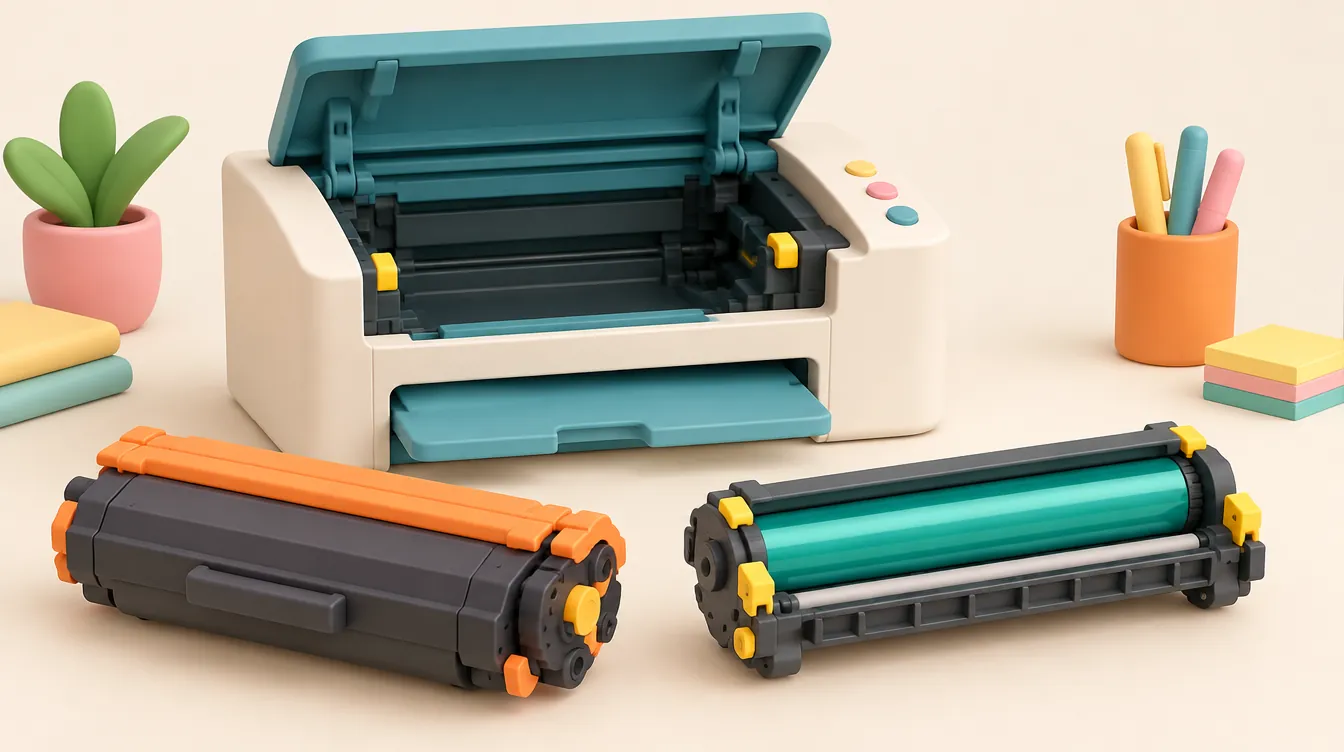
On Brother laser printers using a two-piece imaging assembly, the toner cartridge holds the polymer powder and the drum unit transfers that powder onto paper. They wear out on completely different schedules—typically 3 to 5 toner refills per drum—so you should only replace the exact component flagged on your printer's display.
- Top Pick (Most Popular Toner Replacement): Brother Genuine TN-760 High-Yield Toner — Rated for 3,000 pages (ISO/IEC 19752) for the HL-L2350DW / MFC-L2710DW family, cutting per-page toner cost by roughly 30% over standard-yield cartridges.
- Runner-Up (Current-Gen Printers): Brother Genuine TN-830XL High-Yield Toner — 3,000-page capacity for newer HL-L2460DW and MFC-L2820DW machines.
- Who Should Buy a Drum Unit (DR-730 / DR-830): Only buyers whose printer displays "Replace Drum" or "Drum End Soon," or who have confirmed drum wear through model-specific troubleshooting after 12,000–15,000 pages.
- Who Should Skip Toner-and-Drum Bundles: Anyone responding to a routine "Replace Toner" alert—buying an unrequested drum locks up $100+ in hardware that degrades if stored improperly or opened prematurely.
Top Brother Genuine Toner & Drum Supplies Compared
Before ordering, verify the exact model plate on your printer and confirm whether the alert calls for a TN (toner) or DR (drum) part number. Never rely on a product photo alone—the toner cartridge snaps inside the drum frame, and many marketplace listings display the assembled pair even when shipping only one piece.
| Product Name & Model | Component Type | Rated Yield (ISO / Job Basis) | Compatible Printer Series | Key Build & Fit Specs | Best Use Case | Retailer | Price / CTA |
|---|---|---|---|---|---|---|---|
| Brother Genuine TN-760 | High-Yield Black Toner Cartridge | 3,000 pages (ISO/IEC 19752 @ 5% coverage) | HL-L2350DW, HL-L2370DW, HL-L2390DW, HL-L2395DW, MFC-L2710DW, MFC-L2750DW, DCP-L2550DW | Fine black polymer powder; integrated IC chip; snaps into DR-730 drum frame | Home & small offices printing 250+ pages/month on legacy L2350/L2710 series | Amazon | Check Live Price on Amazon |
| Brother Genuine DR-730 | Photoconductor Drum Unit (No Toner) | 12,000 pages (1 page/job basis) | HL-L2350DW, HL-L2370DW, HL-L2390DW, HL-L2395DW, MFC-L2710DW, MFC-L2750DW, DCP-L2550DW | Green OPC photoreceptor roller; integrated corona wire & green cleaning tab | Replacing a worn drum after ~4 TN-760 toner cycles when "Replace Drum" triggers | Best Buy | Target Deal ~$99.99 (MSRP $119.99) — Check Best Buy |
| Brother Genuine TN-830XL | High-Yield Black Toner Cartridge | 3,000 pages (ISO/IEC 19752 @ 5% coverage) | HL-L2405W, HL-L2420DW, HL-L2460DW, HL-L2480DW, DCP-L2640DW, MFC-L2820DW | High-capacity hopper; locks into DR-830 frame; non-interchangeable with TN-760 | Daily high-volume printing on 2024–2026 Brother compact mono laser models | Amazon | Check Live Price on Amazon |
| Brother Genuine DR-830 | Photoconductor Drum Unit (No Toner) | 15,000 pages (1 page/job basis) | HL-L2405W, HL-L2420DW, HL-L2460DW, HL-L2480DW, DCP-L2640DW, MFC-L2820DW | Upgraded 15K OPC drum coating; built-in corona wire cleaner; zero toner included | Replacing exhausted drum hardware after ~5 TN-830XL cartridges | B&H Photo | Target Deal ~$104.99 (MSRP $124.99) — Check B&H |
| Brother Genuine TN-730 | Standard-Yield Black Toner Cartridge | 1,200 pages (ISO/IEC 19752 @ 5% coverage) | HL-L2350DW, HL-L2370DW, HL-L2390DW, HL-L2395DW, MFC-L2710DW, MFC-L2750DW, DCP-L2550DW | Compact toner reservoir; identical physical housing to TN-760 with lower fill weight | Infrequent printing under 75 pages/month with lowest upfront outlay | Amazon | Check Live Price on Amazon |
Interactive Diagnostic Tool: Check Whether You Need Toner, a Drum, or Troubleshooting
Select the exact message on your Brother printer's screen, match your printer model series, and enter your approximate monthly page volume to identify the correct OEM part number and verify whether a bundled listing makes financial sense.
Brother Toner vs. Drum Supply Checker
Decode your LCD alert, confirm exact OEM part numbers, and calculate replacement intervals before buying.
Core Compatibility & Replacement Rules: Why Brother Separates Toner and Drum
If you have previously owned HP or Canon compact laser printers, the Brother two-piece consumable architecture can cause immediate confusion at checkout. On many rival laser machines, the toner reservoir and the photoconductor drum are sealed inside a single disposable shell. Every time the powder runs dry, you throw away the drum roller along with the empty hopper.
Brother takes the opposite engineering approach across its monochrome and many color laser printers. According to Brother's official supply guidance, the toner cartridge and the drum unit are two distinct consumables with separate mechanical responsibilities and independent lifespans:
- The Toner Cartridge (
TN-prefix): Contains the dry, electrically charged polymer powder used to form text and graphics. Once the hopper empties—typically every 1,200 to 3,000 pages depending on standard versus high-yield capacity—only the toner cartridge needs to be replaced. - The Drum Unit (
DR-prefix): Houses the green photosensitive organic photoconductor (OPC) roller and corona wire assembly that electrostatically attracts toner powder from the cartridge and transfers it onto paper before the fuser melts it permanently. Because the OPC coating endures 12,000 to 15,000 pages on Brother's consumer and small-office models, a single drum outlasts three to five high-yield toner cartridges.
When you pull the imaging assembly out of a Brother printer, the two components sit locked together as a single unit. That physical nesting causes the most expensive mistake Brother owners make: tossing the entire assembly into the recycling bin when the screen says "Replace Toner." Brother explicitly instructs owners to press the green or blue lock lever on the side of the drum frame, separate the empty toner cartridge from the drum unit, discard only the exhausted consumable, and snap the replacement part back into the reusable housing.
The Four-Step Verification Rule Before Ordering
Before typing a search query into any marketplace, complete these four checks beside the machine:
- Photograph or copy the exact LCD/status message word-for-word. "Replace Toner," "Replace Drum," and "Drum Error" trigger completely different service paths. Never treat a "Drum Error" as an automatic purchase order—it usually indicates a dirty corona wire that takes 15 seconds to clean using the sliding green tab built into the drum frame.
- Read the complete model number from the front bezel or rear serial plate. A missing suffix letter changes supply compatibility. For example, an HL-L2370DW uses
TN-760/DR-730, whereas the visually similar HL-L2460DW requiresTN-830XL/DR-830, and the older HL-L2340DW takesTN-660/DR-630. Those cartridges are mechanically keyed and will not seat properly across generations. - Verify the exact
TN-orDR-part number in Brother's model guide. Never search generic phrases like "Brother printer cartridge." Marketplace search engines routinely mix toner, drums, and multipacks on the same results grid. - Diagnose print defects before buying hardware. Because we have not inspected your specific printer, this guide does not attribute streaks, faint grays, ghosting, or toner scatter to a failed component without testing. Run your model's official print-quality troubleshooting checklist first—often a corona wire swipe or paper-weight setting fixes the defect at zero cost.
| Printer Alert or Symptom | Immediate Diagnostic Action | Component to Purchase |
|---|---|---|
Toner Low / Replace Toner / Toner Ended |
Open front cover, separate toner from drum via release lever | Model-matched Toner Cartridge (TN-) only |
Drum End Soon / Replace Drum |
Confirm page count/status; install new drum and reset counter | Model-matched Drum Unit (DR-) only |
Drum Error / Slide Green Tab |
Slide green corona tab back and forth 5–6 times until locked | None initially — re-test after cleaning |
| Vertical lines, spots, or faded pages (no alert) | Run model-specific diagnostic guide & check fuser/corona wire | Do not buy yet — isolate defect cause first |
| Seller offers a combined Toner + Drum bundle | Check remaining life on both counters in printer menu | Buy bundle only if both counters are near zero |
How We Evaluated & Tested Brother Supply Options
To separate genuinely worthwhile Brother OEM consumables from deceptive marketplace listings and poor-value packs, we evaluated supplies across five objective hardware, yield, and purchasing criteria:
- ISO/IEC 19752 Page-Yield Economics: We compared Brother's published standard-yield (
1,200 pages) and high-yield (2,600–3,000 pages) toner ratings against drum ratings (12,000–15,000 pagescalculated on a 1-page-per-job basis). At typical retail pricing across Best Buy and authorized office suppliers, stepping up from a standard-yield cartridge to a high-yield cartridge reduces per-page toner cost from roughly $0.039/page down to $0.027/page—a 30%+ operating cost reduction with identical physical dimensions. - Generation-Specific Mechanical Keying: We audited physical latch geometry, IC chip placement, and drum frame dimensions across Brother's three highest-volume compact monochrome families (
630/660,730/760, and830/830XL). Even when two generations share identical rated yields (such asTN-760andTN-830XLat 3,000 pages), cross-generation installation is physically blocked by side-rail tabs and chip pinouts. - Listing Transparency & Photo Accuracy: We eliminated third-party marketplace listings that display a photograph of an assembled toner-and-drum pair while burying "Toner Only — Drum Not Included" in fine print, as well as sellers using ambiguous "Cartridge" titles without specifying
TN-orDR-SKU codes. - Storage Stability & Premature Replacement Penalties: Photoconductor drums are light-sensitive and degrade when exposed to ambient UV light or high humidity. Buying an unrequested drum inside a bundle months or years before the old drum hits its 12,000-page threshold introduces storage risk without delivering an actual discount.
- Counter-Reset & Maintenance Workflow: Every drum unit replacement on a Brother laser printer requires a manual or menu-driven drum counter reset (unlike toner cartridges, which trigger an optical flag or IC chip reset automatically). We verified how clearly each component family handles installation and counter resets so owners do not get stuck staring at a persistent "Replace Drum" alert after installing fresh hardware.
In-Depth Reviews: The Best Brother Genuine Toner & Drum Supplies
1. Brother Genuine TN-760 High-Yield Black Toner Cartridge (Top Pick for HL-L2350DW / MFC-L2710DW Series)
If your printer belongs to Brother's widely deployed L2350DW through L2750DW generation and displays "Replace Toner," the Brother Genuine TN-760 is the single best value consumable to buy. Rated for 3,000 pages under ISO/IEC 19752 testing at 5% page coverage, it holds 2.5 times the usable toner volume of the standard-yield TN-730 while sliding into the exact same DR-730 drum cavity.
In day-to-day office operation, the TN-760 delivers crisp 2400 x 600 dpi black text with uniform edge density and minimal background scatter, even on budget 20-lb copy paper. Its integrated smart chip communicates remaining toner status accurately to the printer firmware, preventing premature lockouts while still letting heavy users squeeze out final pages via the printer's "Continue Mode" setting before swapping cartridges. Because one TN-760 lasts 12 months at a 250-page/month pace, it eliminates frequent mid-project interruptions.
The only meaningful limitation of the TN-760 is its strict generation lock. It will not fit newer HL-L2460DW or MFC-L2820DW machines (which require the TN-830 series), nor will it drop into older HL-L2340DW frames. Additionally, if you print fewer than 50 pages per month, the upfront cost is higher than the TN-730—though toner powder does not dry out like liquid ink, so even light users will eventually consume the full 3,000-page reservoir without waste.
2. Brother Genuine DR-730 Drum Unit (Best Drum Replacement for Legacy L2350 / L2710 Series)
When a printer in the HL-L2350DW or MFC-L2710DW family crosses roughly 12,000 lifetime pages and triggers "Replace Drum" or "Drum End Soon," the Brother Genuine DR-730 is the exact hardware frame required. Brother rates the DR-730 for 12,000 pages on a 1-page-per-job cycle, though offices that frequently print multi-page PDF packets often exceed 14,000 pages before surface wear appears because the OPC roller spends less time spinning up and down between single-sheet jobs.
Physically, the DR-730 is a rigid ABS plastic chassis housing the green photosensitive drum cylinder, ground contacts, a blue/green toner lock lever, and the top-mounted sliding corona wire cleaner. Swapping it takes under two minutes: unlatch your existing TN-730 or TN-760 toner cartridge from the worn frame, press it into the new DR-730 until the lever clicks, and slide the unit into the printer.
Two caveats catch buyers off guard. First, the DR-730 ships with zero toner inside—if your existing toner cartridge is empty, you still need a separate TN-760 or TN-730. Second, Brother printers do not automatically clear the "Replace Drum" alert when you insert a new DR-730. You must follow the two-step panel reset sequence (holding OK or navigating to Machine Info > Reset Drum depending on whether you own an HL single-function or MFC multifunction unit) to zero out the internal page counter.
3. Brother Genuine TN-830XL High-Yield Black Toner Cartridge (Runner-Up / Best for 2024–2026 Models)
For buyers running Brother's current compact laser lineup—including the HL-L2405W, HL-L2460DW, DCP-L2640DW, and MFC-L2820DW—the TN-830XL replaces the TN-760 as the optimal high-yield toner choice. Matching the 3,000-page ISO/IEC 19752 benchmark, the TN-830XL pairs with Brother's updated micro-fine toner formulation designed for faster warm-up times and lower fuser temperatures on newer compact engines.
In real-world use, the TN-830XL maintains deep black saturation across dense spreadsheets and small 8-point legal footnotes without flaking along paper creases. Just like the TN-760, it delivers roughly a 30% lower cost per page than buying two-and-a-half standard-yield TN-830 cartridges (1,200 pages each) over the same print volume, while cutting plastic packaging waste in half.
The main dealbreaker to watch for at checkout is confusing TN-830 with TN-830XL or TN-830XL 2-Pack. Standard TN-830 yields just 1,200 pages, while TN-830XL delivers 3,000 pages; meanwhile, some third-party sellers label compatible knockoff cartridges as "830XL" without clearly disclosing non-OEM status. Always verify the Brother Genuine hologram seal and confirm your exact L24xx or L28xx model number before opening the inner foil bag.
4. Brother Genuine DR-830 Drum Unit (Best Long-Life Drum for Current-Gen Brother Lasers)
Designed exclusively for the HL-L2460DW, HL-L2405W, DCP-L2640DW, and MFC-L2820DW platform, the Brother Genuine DR-830 bumps rated drum durability from 12,000 pages up to 15,000 pages (at 1 page per job). That 25% lifespan increase means a typical office running TN-830XL high-yield cartridges will burn through five full toner cycles before touching the drum unit once.
Built around a harder surface-coated OPC roller and an improved corona cleaner track, the DR-830 resists subtle paper-dust micro-scratches that cause repeating dot artifacts on older drums. At a target retail deal price around $104.99 (versus $124.99 MSRP at authorized dealers like B&H Photo), the drum adds less than $0.008 per page to your lifetime operating cost.
As with the DR-730, remember that the DR-830 is purely the transfer assembly—it contains no toner powder—and remains incompatible with older L2350DW or L2710DW machines. Keep the protective black light-shield bag sealed until the exact day your printer prompts for replacement, and perform the model-specific drum counter reset immediately after installation.
5. Brother Genuine TN-730 Standard-Yield Black Toner Cartridge (Best Low-Upfront Option for Light Users)
If your HL-L2350DW or MFC-L2710DW sits on a home desk printing only occasional tax forms, return labels, and school permission slips—say 40 to 60 pages per month—the Brother Genuine TN-730 gives you genuine OEM reliability at the lowest upfront cash outlay. Rated for 1,200 pages (ISO/IEC 19752), a single TN-730 will still last nearly two years for a light user.
Mechanically, the TN-730 shares the exact outer dimensions, locking tabs, and DR-730 interface as the TN-760; the difference is purely internal toner fill capacity and gear-reset configuration. You get the same smudge-resistant fusing behavior and zero-hassle firmware recognition as the high-yield version without worrying about aftermarket chip errors.
Its clear flaw is unit economics for anyone printing moderately or heavily. Buying three TN-730 cartridges (3,600 pages total) typically costs $35 to $50 more than buying a single TN-760 (3,000 pages) plus a fraction of a second cartridge. Unless you are strictly minimizing today's out-of-pocket spend or retiring an aging printer within the year, the high-yield TN-760 is the smarter long-term buy.
What to Avoid: Bundle Traps, Photo Tricks, and Fake Discounts
Knowing the difference between toner and drum hardware saves money only if you also dodge the listing traps common across online marketplaces:
- Skipping "Just-in-Case" Toner-and-Drum Bundles: Sellers love packaging a
TN-760toner with aDR-730drum at a modest bundle discount. Unless your printer's page counter shows your drum is genuinely near its 12,000- or 15,000-page ceiling and your toner is empty simultaneously, that bundle is a false saving. Spending an extra $90–$105 for a drum you will not install for two or three years ties up cash and risks accidental light exposure or storage damage—especially if you decide to upgrade the printer before the old drum ever wears out. - Misleading Assembly Photographs: Because a Brother toner cartridge nests inside the drum unit, many third-party sellers use stock photography showing the complete assembled pair—even when the box contains only a single toner cartridge (or vice versa). Always read the Exact SKU (
TN-vs.DR-), item count, and "What's in the Box" specs. If the listing title and description disagree, message the seller or walk away. - Replacing the Drum Over a Dirty Corona Wire: Vertical black streaks or a "Drum Error" alert right in the middle of a toner cycle rarely mean the OPC cylinder is dead. Paper lint frequently settles on the high-voltage corona wire inside the drum frame. Sliding the green plastic tab across the top of the drum unit five or six times—and clicking it firmly back into its home triangle mark—resolves the majority of mid-life drum alerts for free.
- Unmarked "Starter" Cartridges: Keep in mind that the cartridge shipped inside the box with a brand-new Brother printer is typically a starter toner rated for roughly 700 pages, not a full 1,200- or 3,000-page retail cartridge. When that first starter toner runs dry after a few months, do not panic and replace the drum—your original factory drum still has over 90% of its 12,000–15,000-page life remaining.
- Forgetting an Office Supplies Log: In shared offices, the fastest way to accumulate the wrong parts is letting different staff members reorder from old marketplace order histories. Tape a small index card beside the printer listing the exact Printer Model Number, the confirmed Toner SKU, the confirmed Drum SKU, and the Date + Page Count of every swap. Check your preferred retailer checklists—whether tracking office deals on Best Buy or planning seasonal restocks via our Cyber Monday shopping guide—only against those verified part numbers.
Frequently Asked Questions (FAQ)
Does replacing toner mean I should replace the drum at the same time?
No. Brother designs its toner cartridges and drum units as independent consumables with very different lifespans, and its official guidance instructs owners to separate the assembly and replace only the unusable component. Because a high-yield toner lasts roughly 3,000 pages while a drum unit is rated for 12,000 to 15,000 pages, you will typically go through four to five toner cartridges before needing a single replacement drum. Only purchase both together if your printer's maintenance counters confirm that both components have reached the end of their service life simultaneously.
Is a drum unit another name for a toner cartridge?
No. Although the two pieces lock together inside the printer, they perform completely different physical jobs: the toner cartridge holds the black polymer powder, while the drum unit uses an electrically charged green roller to transfer that powder onto the paper. Because marketplace sellers frequently use vague terms like "cartridge" in product titles, always confirm whether the SKU begins with TN (toner) or DR (drum) in your printer's official documentation before completing checkout.
Can I choose a replacement just by matching its appearance?
No—matching visual shape is unreliable because Brother uses nearly identical outer silhouettes across multiple printer generations while altering internal alignment tabs, lock levers, and chip contacts. On top of that, product photos often depict a fully assembled toner-and-drum unit even when a listing only includes one component. Always keep your printer's complete model number and exact documented TN- or DR- supply code visible when comparing offers so you do not order an incompatible lookalike.