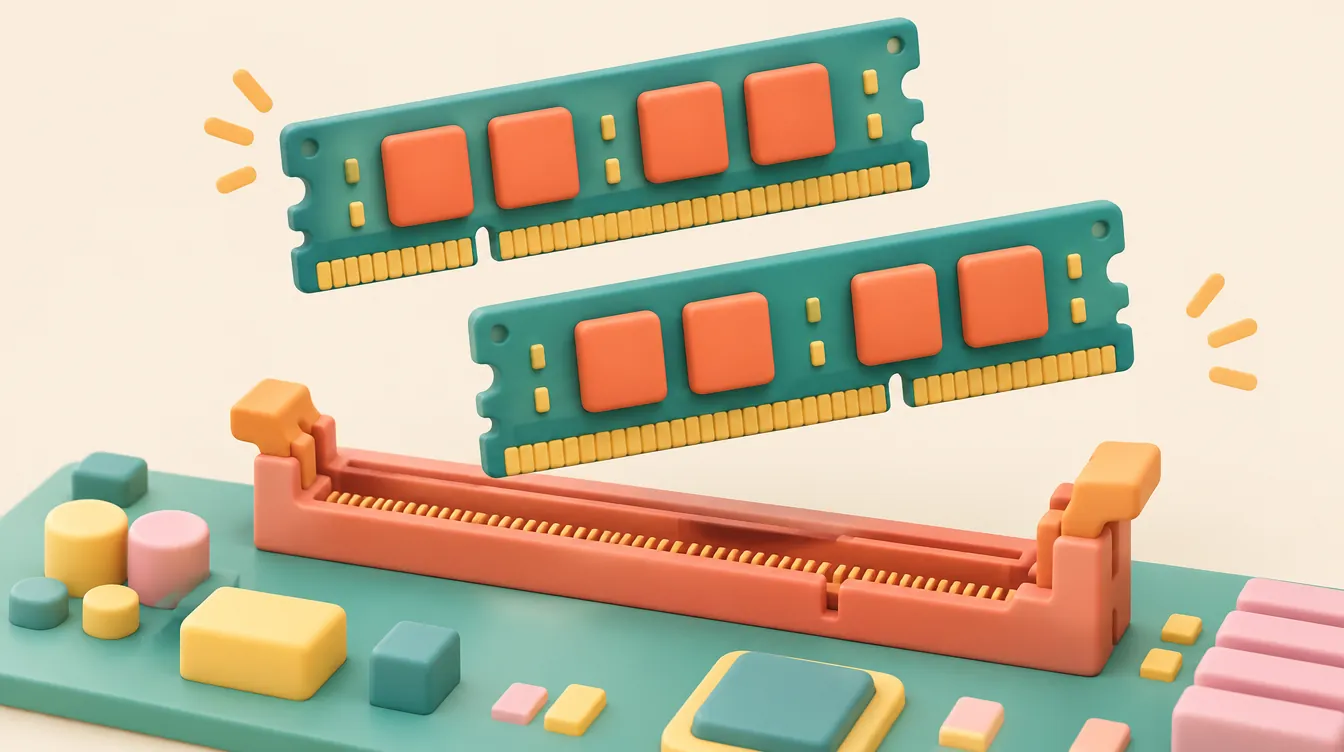
Quick Verdict: DDR5 Is Not Compatible with DDR4 Motherboards
You cannot install DDR5 RAM into a DDR4 motherboard. Although both desktop formats use 288-pin DIMM connectors, their key-notch positions and power delivery architectures differ. Verify your exact motherboard or prebuilt PC model before ordering memory.
- Top Pick (Existing DDR4 Systems): Corsair Vengeance LPX 32GB (2x16GB) DDR4-3200 CL16 (
CMK32GX4M2E3200C16) — Low-profile 33.5mm aluminum heatspreaders, reliable 1.35V XMP 2.0 timings, and broad motherboard QVL coverage. - Runner-Up (OEM & Prebuilt DDR4 PCs): Crucial 32GB (2x16GB) DDR4-3200 CL22 (
CT2K16G4DFRA32A) — Standard 1.2V JEDEC timing ensures full 3200 MT/s speeds on Dell, HP, and Lenovo boards that lack XMP BIOS menus. - Top Pick (New DDR5 Platforms): Crucial Pro 32GB (2x16GB) DDR5-5600 CL46 (
CP2K16G56C46U5) — Plug-and-play 1.1V JEDEC stability with on-DIMM PMIC power management for DDR5-only motherboards. - Who Should Buy DDR4 Upgrades: Owners of existing DDR4 desktops who need 32GB or 64GB of capacity for multitasking, browser tabs, or editing without replacing their motherboard and CPU.
- Who Should Skip DDR5 Kits: Anyone shopping for an existing DDR4 PC, or buyers hoping to "future-proof" by snagging discounted DDR5 sticks months before choosing a compatible motherboard.
Top Compatible Memory Kits Compared
| Product Name & Model | Generation & Form Factor | Speed, Timings & Voltage | Height & Heatsink | Best Use Case | Retailer & Price |
|---|---|---|---|---|---|
Corsair Vengeance LPX 32GB (2x16GB)CMK32GX4M2E3200C16 |
DDR4 288-pin UDIMM | 3200 MT/s, CL16-20-20-38, 1.35V | 33.5mm, Anodized Aluminum | Best overall DDR4 capacity upgrade | Check Live Price on Amazon |
G.Skill Ripjaws V 32GB (2x16GB)F4-3600C16D-32GVKC |
DDR4 288-pin UDIMM | 3600 MT/s, CL16-19-19-39, 1.35V | 42.0mm, Brushed Aluminum | High-bandwidth DDR4 gaming & creator rigs | B&H Photo — $74.99 (MSRP $89.99) |
Crucial 32GB (2x16GB) JEDECCT2K16G4DFRA32A |
DDR4 288-pin UDIMM | 3200 MT/s, CL22-22-22, 1.20V | 31.25mm, Bare PCB | Prebuilt OEM desktops (Dell, HP, Lenovo) | Best Buy — $59.99 (MSRP $72.99) |
Crucial Pro 32GB (2x16GB)CP2K16G56C46U5 |
DDR5 288-pin UDIMM | 5600 MT/s, CL46-45-45, 1.10V | 34.8mm, Matte Aluminum | Drop-in stability on DDR5 motherboards | Check Live Price on Amazon |
Corsair Vengeance 32GB (2x16GB)CMK32GX5M2B6000Z30 |
DDR5 288-pin UDIMM | 6000 MT/s, CL30-36-36-76, 1.40V | 35.0mm, Solid Aluminum | Enthusiast DDR5 builds with EXPO / XMP 3.0 | Best Buy — $109.99 (MSRP $124.99) |
Interactive DDR4 vs. DDR5 Compatibility & Upgrade Checker
Use this tool to verify whether a memory kit matches your motherboard's physical slots and whether a DDR5 purchase would force an unplanned platform rebuild.
RAM Generation & Motherboard Compatibility Checker
Core Compatibility Rules: Why DDR5 Cannot Fit in DDR4 Slots
DDR5 memory cannot replace DDR4 modules in a DDR4 motherboard's slots. Although both desktop generations share a 133.35mm module length and a 288-pin edge connector, the two standards are physically and electrically incompatible. Corsair confirms that DDR5 is not backward-compatible with DDR4 motherboard slots, noting that the alignment key-notch sits in a different position along the bottom contact edge. Attempting to force a DDR5 stick into a DDR4 slot—or vice versa—risks snapping the plastic retention notch, bending motherboard slot contacts, or shorting the PCB.
On laptops and compact mini-PCs, the physical difference is even more pronounced. DDR4 SO-DIMM modules use 260 pins, whereas DDR5 SO-DIMM modules use 262 pins alongside a shifted key-notch. Beyond physical keying, electrical power delivery changed fundamentally between generations. DDR4 relies on the motherboard's voltage regulator modules (VRMs) to supply 1.20V (or 1.35V for XMP kits) directly to the memory slots. DDR5 moves power management onto the memory stick itself via an on-DIMM Power Management Integrated Circuit (PMIC) fed by a 5V rail from the motherboard, stepping down to a 1.10V JEDEC baseline. Because DDR4 slots are wired for DDR4 signaling and motherboard-side regulation, a DDR5 module cannot receive power or communicate even if the notch were altered.
A common source of confusion stems from processor spec sheets. Intel lists both DDR4 and DDR5 support for its 13th-generation desktop processors (as well as 12th- and 14th-generation chips). That dual-support listing means the processor's integrated memory controller can speak both protocols—it does not mean your motherboard can accept both types of RAM. Motherboard manufacturers build separate board variants for each generation (for example, a B760M Pro RS D4 versus a B760M Pro RS DDR5). Your motherboard's physical DIMM slots, not the CPU name, dictate which memory generation you must purchase.
Start with the Motherboard or Complete Computer Model
Before comparing capacities, CAS latencies, or advertised megatransfers per second (MT/s), record the exact hardware specification of the machine sitting on your desk. For a prebuilt desktop or laptop from Dell, HP, Lenovo, or Acer, look up the manufacturer's memory-upgrade documentation using the full system model number or service tag. For a custom-built desktop, open the side panel or run a system-info utility to read the exact motherboard model and hardware revision printed on the PCB.
| Detail to Verify | Evidence to Collect | Purchase Decision |
|---|---|---|
| Memory generation | DDR4 or DDR5 specification | Which RAM family to shop |
| Module format | Desktop 288-pin UDIMM vs. Laptop SO-DIMM | Which physical module size to choose |
| Supported configuration | Max capacity per slot & total DIMM slots | How many modules (e.g., 2x16GB) to order |
| Exact kit & QVL match | Manufacturer compatibility or QVL confirmation | Whether the selected part runs at rated speed |
Do not rely on a generic product-family search such as "ASUS Prime Z690" or "HP Pavilion gaming PC," because vendors frequently release DDR4 and DDR5 revisions under nearly identical names. If a listing remains ambiguous, contact the system or memory manufacturer with the exact model numbers before checking out, and save their written confirmation alongside your order receipt.
Distinguish a Simple RAM Upgrade from a Platform Change
Price a compatible DDR4 upgrade before letting a discounted DDR5 kit push you into an unplanned rebuild. If your current machine stutters with 16GB of RAM while running browser tabs, spreadsheets, or photo editors, dropping in a 32GB (2x16GB) DDR4 kit solves the capacity bottleneck for roughly $60 to $80. Moving to DDR5, by contrast, requires replacing the motherboard and often the CPU alongside the memory—turning a sub-$80 maintenance upgrade into a $350 to $600 platform overhaul.
Write down the specific bottleneck you want to solve before choosing a memory generation. If you are building a new computer from scratch, list every component that can carry over (storage drives, power supply, case, GPU) against the parts that must be replaced, and compare the total project cost against the performance gain in your actual workloads. Only compare complete computer offers after deciding whether you are extending your current machine's lifespan or replacing the entire platform.
How We Evaluated and Selected These Memory Kits
To identify reliable upgrade kits across both DDR4 and DDR5 platforms, we filtered out single-stick configurations, unverified off-brand modules, and extreme-voltage enthusiast kits that fail to boot at rated speeds on mainstream boards. Every recommended kit meets four hardware and compatibility thresholds:
- Dual-Channel Matched Pairs (2x16GB): Modern desktop memory controllers rely on dual-channel bandwidth. Purchasing a matched 2x16GB kit ensures identical DRAM integrated circuits (ICs) and secondary timings, avoiding the instability common when mixing older sticks with new ones.
- Cooler Clearance (Under 42mm Z-Height): Tall RGB heatspreaders frequently collide with dual-tower air coolers like the Noctua NH-D15 or Thermalright Phantom Spirit. Our top picks range from 31.25mm to 42.0mm in height so they clear standard CPU cooler fans without forcing you to raise the front fan.
- JEDEC vs. XMP/EXPO Profile Transparency: Prebuilt OEM desktops often lock BIOS menus and refuse to load 1.35V XMP profiles, dropping XMP-only kits down to a sluggish 2133 MT/s or 2400 MT/s. We separated standard 1.20V/1.10V JEDEC kits (built for locked OEM boards) from 1.35V/1.40V XMP/EXPO kits (built for custom motherboards).
- Return & Warranty Coverage: All selected kits carry limited lifetime warranties from Corsair, Crucial, or G.Skill and ship from major retailers with straightforward return windows in case of a motherboard QVL mismatch.
In-Depth Memory Kit Reviews
1. Corsair Vengeance LPX 32GB (2x16GB) DDR4-3200 CL16 (CMK32GX4M2E3200C16) — Top Pick for Existing DDR4 Systems
For custom DDR4 desktops built on Intel 300- through 700-series or AMD AM4 motherboards, the Corsair Vengeance LPX 32GB (2x16GB) DDR4-3200 CL16 remains the safest all-around capacity upgrade. Measuring just 33.5mm tall, its anodized aluminum heatspreader slides cleanly underneath oversized dual-tower CPU coolers and fits inside tight mini-ITX enclosures where taller RGB modules hit radiator fans or side panels.
Under the hood, this kit runs at 3200 MT/s with CL16-20-20-38 timings at 1.35V via Intel XMP 2.0 (and loads cleanly via DOCP on AMD AM4 boards). In real-world multitasking, moving from 16GB to 32GB eliminates SSD page-file swapping during heavy browser sessions, virtual machine use, or 4K video scrubbing. Corsair lists extensive QVL validation across ASUS, MSI, Gigabyte, and ASRock DDR4 motherboards.
The Flaw: Because its rated 3200 MT/s speed depends on a 1.35V XMP profile, locked OEM prebuilt desktops (such as base Dell OptiPlex or HP Envy towers without XMP BIOS options) will default this kit to its 2133 MT/s JEDEC fallback speed.
2. Crucial 32GB (2x16GB) DDR4-3200 CL22 (CT2K16G4DFRA32A) — Best for Prebuilt OEM Desktops
If you own a prebuilt Dell, HP, Lenovo, or Acer desktop with a DDR4 motherboard, buying a flashy XMP kit can actually hurt performance if the BIOS lacks voltage controls. The Crucial 32GB (2x16GB) DDR4-3200 CL22 (CT2K16G4DFRA32A) solves this exact trap by hitting 3200 MT/s natively at the standard 1.20V JEDEC specification.
At 31.25mm tall with a bare black PCB and no protruding heatspreader, these modules match the exact physical footprint of factory-installed OEM sticks. You simply power down the PC, seat the two 288-pin sticks into the matching color-coded slots, and boot—no BIOS overclocking toggles required. At $59.99 (down from a $72.99 MSRP) at Best Buy, it is also one of the most cost-effective ways to double a prebuilt machine's memory capacity.
The Flaw: Its CL22-22-22 primary timings are looser than the CL16 timings on the Corsair Vengeance LPX, resulting in slightly higher memory latency in sensitive gaming benchmarks on custom boards that support XMP.
3. G.Skill Ripjaws V 32GB (2x16GB) DDR4-3600 CL16 (F4-3600C16D-32GVKC) — Best High-Bandwidth DDR4 Kit
Builders running AMD Ryzen 3000/5000 processors or Intel 12th/13th Gen DDR4 boards who want maximum memory bandwidth without jumping to DDR5 should look at the G.Skill Ripjaws V 32GB (2x16GB) DDR4-3600 CL16. Running at 3600 MT/s with tight CL16-19-19-39 timings at 1.35V, this kit hits the 1:1 Infinity Fabric sweet spot (1800 MHz FCLK) on Ryzen AM4 platforms, trimming frame-time dips in CPU-bound games and accelerating batch file compression.
G.Skill outfits the modules with a 42.0mm brushed aluminum heatspreader that dissipates heat effectively during sustained rendering workloads. Priced around $74.99 (MSRP $89.99) at B&H Photo, it carries a modest premium over 3200 MT/s kits while delivering noticeably snappier latency.
The Flaw: At 42.0mm tall, the Ripjaws V is 8.5mm taller than Corsair's LPX modules. Measure the clearance under your CPU cooler's front fan before ordering, and verify that your specific motherboard QVL supports 3600 MT/s in dual-channel configuration.
4. Crucial Pro 32GB (2x16GB) DDR5-5600 CL46 (CP2K16G56C46U5) — Top Pick for New DDR5 Platforms
If you have already confirmed that your motherboard uses DDR5 slots—or you are assembling a new AM5 or LGA1700/LGA1851 DDR5 system—the Crucial Pro 32GB (2x16GB) DDR5-5600 CL46 prioritizes plug-and-play stability over aggressive overclocking. It operates at 5600 MT/s at the standard 1.10V JEDEC baseline while also embedding both Intel XMP 3.0 and AMD EXPO profiles on the SPD chip.
The matte black folded-aluminum heatspreader stands 34.8mm tall, keeping temperatures controlled around the on-DIMM PMIC chip without interfering with air coolers. For multi-core workstation builds where boot reliability and zero-tweaking stability matter more than shaving two percent off game benchmarks, Crucial's 1.10V native 5600 MT/s profile eliminates the memory-training headaches common on early DDR5 BIOS releases.
The Flaw: Its CL46-45-45 timings are conservative compared to enthusiast CL30 DDR5-6000 kits, leaving a small amount of gaming frame-rate performance on the table on AMD Ryzen 7000/9000 systems.
5. Corsair Vengeance 32GB (2x16GB) DDR5-6000 CL30 (CMK32GX5M2B6000Z30) — Best Enthusiast DDR5 Kit
For builders constructing a dedicated DDR5 gaming or content-creation rig around AMD AM5 or Intel Z790/Z890 DDR5 motherboards, the Corsair Vengeance 32GB (2x16GB) DDR5-6000 CL30 hits the current sweet spot for speed and latency. Running 6000 MT/s at CL30-36-36-76 (1.40V), it delivers roughly 10ns of first-word latency while maintaining a compact 35.0mm solid aluminum profile without tall RGB light bars.
Available for $109.99 (MSRP $124.99) at Best Buy, this kit is tuned specifically for AMD EXPO and Intel XMP 3.0 profiles, and Corsair's iCUE software can monitor the on-DIMM PMIC temperature sensors in real time.
The Flaw: It requires a DDR5 motherboard with BIOS overclocking support to reach 6000 MT/s; on locked office motherboards, it will fall back to 4800 MT/s JEDEC speeds.
What to Avoid: Compatibility Traps and Fake Bargains
- Never Force a Mismatched Stick: If a module's bottom notch does not line up effortlessly with the plastic ridge inside your motherboard's DIMM slot, stop immediately. Forcing a DDR5 stick into a DDR4 slot—or inserting a stick backward—can crack the motherboard PCB and void both warranties.
- Avoid Buying Discounted DDR5 RAM "For a Future Build": Memory prices fluctuate, and buying a discounted DDR5 kit months before selecting your motherboard leaves you with an unverified component sitting outside its 14- to 30-day retailer return window. Confirm your motherboard and CPU first, then track verified deals using our holiday and seasonal hardware shopping checklist.
- Do Not Mix Desktop UDIMMs and Laptop SO-DIMMs: Laptop DDR4 (260-pin) and DDR5 (262-pin) SO-DIMM modules are roughly half the width of desktop 288-pin UDIMMs. Always verify the physical form factor alongside the memory generation.
- Skip Single-Stick Upgrades on Dual-Channel Boards: Buying a single 32GB stick instead of a 2x16GB kit cuts available memory bandwidth in half on dual-channel consumer motherboards, noticeably hurting integrated graphics and CPU-heavy workloads.
Frequently Asked Questions
My processor supports DDR4 and DDR5. Can I install either type?
Check the motherboard's specification before deciding. Intel's processor-level support for both generations on 12th-, 13th-, and 14th-generation desktop CPUs does not make DDR4 and DDR5 slots interchangeable on the board itself. Identify the exact motherboard model and revision—or the complete prebuilt computer model—then select memory documented for that specific board rather than relying solely on the processor's compatibility page.
Can I force a DDR5 stick into a DDR4 slot if the dimensions look similar?
No. Corsair confirms that the physical key-notch position differs between DDR4 and DDR5 modules, and attempting to force a mismatched stick can permanently damage both the memory module and the motherboard slot. Stop immediately and verify the part numbers whenever a stick does not align smoothly with the slot ridge.
Should I buy a discounted RAM kit now for a future computer build?
Choose your planned motherboard and system requirements before committing to a memory kit. Otherwise, you are purchasing a component without a confirmed destination and risking an expired return window if you later choose a different platform or find a QVL incompatibility. Compare any short-term discount against the uncertainty of your future build, and check the retailer's return policy before treating an unverified kit as a bargain.