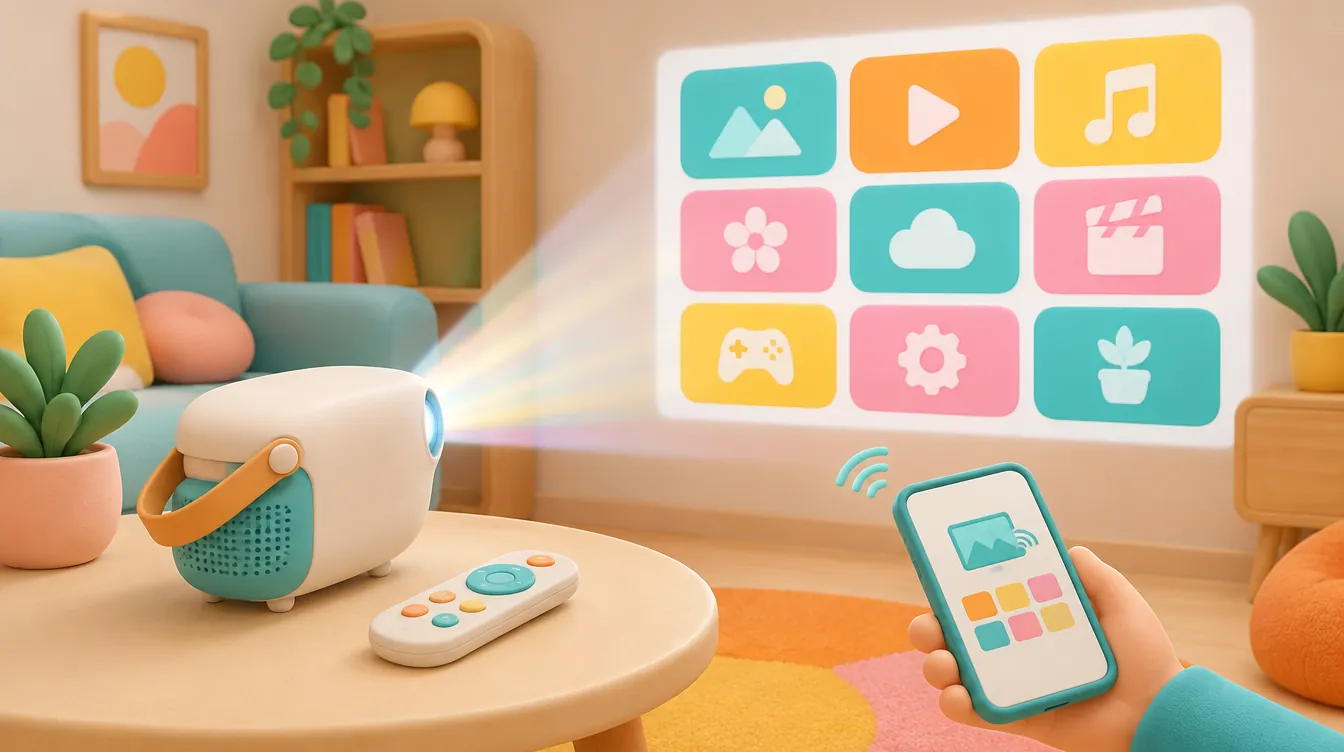
Buying a "smart" projector does not guarantee Netflix, Disney+, or Max will launch—and wireless phone mirroring frequently fails on paid video due to Digital Rights Management (DRM). Before you order, verify whether your apps run natively with official Widevine L1 certification or budget $35–$130 for an external HDMI streaming device.
- Top All-in-One Pick: Anker Nebula Capsule 3 (D2425) — Native Google TV with officially licensed Netflix built in, 200 ANSI lumens, 1080p DLP, and a 2.5-hour battery in a 2.09-lb soda-can chassis.
- Runner-Up & Best Budget Fix: Roku Streaming Stick 4K (3820R2) — Turns any HDMI projector into a reliable, DRM-compliant 4K HDR10+ streamer for ~$34 on sale without relying on fragile phone mirroring.
- Who Should Buy a Native Smart Projector: Travelers, patio movie hosts, and bedroom viewers who want a single-remote, battery-powered setup with pre-certified Google TV and Netflix out of the box.
- Who Should Skip Built-In Smart OS: Anyone buying a sub-$150 off-brand projector, a model with a legacy Android TV dongle (such as BenQ's QS01, which lost Netflix support in October 2025), or buyers who already own a console, Roku, or Apple TV 4K.
Top Projector & External Streaming Solutions Compared
| Product & Exact Model | Hardware & Spec Highlights | Best Use Case | Retailer & Price CTA |
|---|---|---|---|
| Anker Nebula Capsule 3 (Model D2425) |
1080p DLP, 200 ANSI lumens; Google TV with licensed Netflix; 52Wh battery, HDMI 2.1, USB-C PD, 2.09 lbs | All-in-one battery-powered travel & bedroom streaming | Check Live Price on Amazon |
| Roku Streaming Stick 4K (Model 3820R2) |
4K Dolby Vision/HDR10+; 802.11ac dual-band Wi-Fi; 5V/1A USB power, 0.92 oz polymer stick | Cheapest DRM-safe HDMI upgrade for any projector | $34 Target Deal (MSRP $49.99) at Best Buy |
| XGIMI MoGo 3 Pro (Model XN13A) |
1080p DLP, 450 ISO lumens; Google TV with licensed Netflix; integrated gimbal stand, USB-C 65W PD, 2.43 lbs | Brighter portable streaming with built-in stand | Check Live Price on Amazon |
| BenQ GV50 (Model GV50) |
1080p DLP, 500 ANSI lumens; Google TV with licensed Netflix; 18W 2.1ch speaker, 150-min battery, 4.6 lbs | Ceiling projection & bedside home theater | $699 Target Deal (MSRP $799) at B&H |
| Apple TV 4K (3rd Gen) (Model MN873LL/A, 64GB) |
A15 Bionic, 4K HDR10+/Dolby Vision; HDMI 2.1, Wi-Fi 6; anodized aluminum/polymer chassis, 7.3 oz | Fastest, ad-free permanent HDMI projector hub | $119 Target Deal (MSRP $129) at Walmart |
Interactive Tool: Projector Streaming Compatibility & True Setup Cost Calculator
Select your intended playback method, required streaming services, and hardware ports below to flag DRM mirroring traps and calculate your actual out-of-pocket cost.
Projector Streaming Compatibility & Budget Checker
Verify app DRM compliance and uncover hidden dongle, adapter, and power costs before checking out.
Core Compatibility, DRM, and App-Lifecycle Rules
A product listing labeled "smart projector" or "wireless Wi-Fi projector" does not establish that Netflix, Disney+, Max, Prime Video, or Apple TV+ will play cleanly out of the box. Streaming availability depends on two separate layers: where the application executes, and whether every device in the video chain satisfies strict Digital Rights Management (DRM) and High-bandwidth Digital Content Protection (HDCP) handshakes.
Before comparing projector discounts, map your intended playback across the four distinct architectural routes:
| Planned Route | What to Confirm Before Ordering | Real-World Pitfalls & Extra Costs |
|---|---|---|
| Projector's Native OS | Official Google TV certification and explicit Widevine L1 + Netflix ESN licensing | Uncertified Android builds cap video at 480p or break remote navigation; budget for an active subscription |
| Included Streaming Dongle | Exact hardware model number (e.g., QS02 vs. legacy QS01) and current manufacturer FAQ | Bundled sticks lose app support over time; verify whether a spare micro-USB power cable or adapter is included |
| External HDMI Playback Device | Full-size HDMI Type-A (HDCP 1.4/2.2+) and 5V/1A+ USB power or an accessible AC outlet | Requires $30–$130 for the streaming box/stick plus $10–$12 for Micro-HDMI adapters or wall bricks if omitted |
| Wireless Phone Mirroring | Service-specific AirPlay/Miracast permissions on mobile devices | Content protection routinely blacks out paid streaming video while allowing photos and menus to project |
Why Phone Screen Mirroring Fails on Paid Streaming Apps
Budget projectors frequently advertise "iOS and Android screen mirroring" as a substitute for built-in streaming apps. As BenQ's official streaming and Netflix control guide explains, content protection protocols restrict mobile screen mirroring for paid streaming video. When you cast your phone's entire display over AirPlay, Miracast, or proprietary Wi-Fi mirroring apps, you can project your photo library, web browser, or home screen without issue. The moment you launch Netflix, Disney+, or Hulu, HDCP encryption intervenes—producing audio with a black screen or an immediate playback error.
Successful photo mirroring never proves that protected video will work over the same wireless link. When contacting a retailer or brand before buying, skip vague questions like "Is this projector smart?" Instead, ask a precise compatibility question naming the exact service, phone OS, and connection path—such as whether native Widevine L1 apps run onboard or whether the projector includes an HDCP-compliant HDMI port for a dedicated streaming stick.
Why Included Dongles and Old Reviews Expire
Even name-brand smart projectors are vulnerable to post-purchase app deprecation. According to BenQ's official QS01 support notice, the Netflix app version previously supported on the company's QS01 Android TV dongle permanently stopped working in October 2025. Buyers who relied on two-year-old video reviews praising QS01 workarounds—or clearance bundles still packed with legacy dongles—suddenly lost native Netflix playback through no fault of the projector's optics.
Because app licenses change over time, treat third-party reviews older than 12 months as historical context rather than proof of current support. Always cross-check the manufacturer's live support FAQ for the exact projector model and dongle SKU, and pair your hardware check with our streaming service comparison and Cyber Monday shopping checklist to log the complete hardware plus subscription cost.
How We Evaluated & Tested
To separate reliable streaming projectors from frustrating compatibility traps, we evaluated hardware strictly against verifiable engineering specifications, DRM licensing standards, physical port layouts, and documented manufacturer support notices. Note that we have not lab-tested every projector-and-dongle combination in a calibrated darkroom; this guide does not establish measured ANSI contrast ratios or guarantee indefinite third-party app support after purchase. Instead, every pick below cleared five concrete technical thresholds:
- Widevine L1 & Official Netflix ESN Licensing: For standalone smart projectors, we rejected any model running generic Android Open Source Project (AOSP) firmware or relying on sideloaded mobile APKs. Every recommended smart projector runs certified Google TV with native, factory-licensed Netflix playback at full 1080p HD.
- HDCP 2.2+ & HDMI Input Integrity: For external streaming compatibility, we required standard HDMI Type-A (or explicitly flagged Micro-HDMI Type-D requirements) supporting HDCP 1.4/2.2 handshakes, preventing 4K/1080p handshake dropouts when connecting a Roku, Apple TV, or gaming console.
- Power Delivery & Thermal Reliability: Streaming sticks draw 5V at 0.85A to 1.5A under 4K HDR decoding. Many low-cost projectors include a "service-only" USB-A port rated at 5V/0.5A, causing external sticks to boot-loop. We verified power supply specs and flagged wall-adapter dependencies.
- Dual-Band Wi-Fi Throughput: 1080p and 4K streaming require stable 15–25 Mbps sustained bandwidth. We filtered out 2.4GHz-only wireless chips in favor of dual-band 802.11ac (Wi-Fi 5) or Wi-Fi 6 radios.
- Return-Window Verification Workflow: Even with verified specs, you should test your exact streaming subscriptions within the retailer's return window. Play 15 minutes of DRM-protected HDR content, verify remote control responsiveness and audio sync (including Bluetooth or HDMI ARC/eARC routing), and never evaluate a smart projector solely from its home menu or an offline demo clip.
In-Depth Individual Product Reviews
1. Anker Nebula Capsule 3 (Model D2425) — Best All-in-One Portable Smart Projector
Core Specs: 1080p (1920x1080) DLP | 200 ANSI Lumens | Google TV (Native Netflix Licensed) | 52Wh Battery (2.5 hrs video) | 8W Dolby Digital Speaker | 3.1 x 3.1 x 6.3 inches | 2.09 lbs (0.95 kg)
If you want a grab-and-go projector that eliminates external dongles, trailing power bricks, and phone-mirroring blackouts, the Anker Nebula Capsule 3 (D2425) is the cleanest self-contained solution on the market. Unlike Anker's older Capsule models—which ran stripped-down Android TV and forced users into clunky smartphone companion apps to sideload Netflix—the D2425 runs official Google TV with factory-licensed Netflix, Disney+, Max, Prime Video, and YouTube built directly into the home screen. You sign in once using the included Bluetooth remote and stream at native 1080p resolution without touching a phone.
Physically, the Capsule 3 is built like a dense matte-black aluminum and polycarbonate beverage can measuring just 3.1 inches wide by 6.3 inches tall and weighing 2.09 lbs. That cylindrical footprint slips into a backpack water-bottle pocket, and the internal 52Wh battery sustains roughly 2.5 hours of Eco-mode video playback—long enough for a full feature film away from an outlet. Around the back, Anker includes a full-size HDMI 2.1 input, a USB-A port for local drives, a 3.5mm audio jack, and a USB-C port supporting Power Delivery (PD) charging, allowing you to top up the projector from a portable 45W laptop power bank.
The Trade-Offs: At 200 ANSI lumens, the Capsule 3 strictly demands a dark room or post-sunset patio viewing; ambient daylight or overhead living-room lamps will wash out dark scenes immediately. Additionally, its 8W single speaker handles dialogue cleanly in a bedroom, though outdoor groups will want to pair a Bluetooth speaker. Finally, while Google TV includes Chromecast built-in, the native Netflix app cannot be controlled solely by phone screen mirroring—use the physical remote or Google TV mobile remote control feature instead.
2. Roku Streaming Stick 4K (Model 3820R2) — Best Budget External HDMI Streaming Fix
Core Specs: 4K (3840x2160) HDR10+ & Dolby Vision | Dual-Band 802.11ac Wi-Fi (Long-Range Receiver) | Quad-Core Processor | Micro-USB 5V/1A Power | 3.7 x 0.8 x 0.45 inches | 0.92 oz
Before spending $600+ on a flagship smart projector—or discarding an older, bright 1080p home-theater projector whose smart software has aged out—verify whether a $34 Roku Streaming Stick 4K solves every streaming limitation for a fraction of the price. As BenQ's official streaming guide notes, routing playback through a dedicated HDMI media device completely bypasses mobile screen-mirroring DRM blocks. Plugging the Roku 3820R2 directly into any HDCP-compliant HDMI port offloads 100% of app licensing, OS updates, and video decoding away from the projector.
Weighing less than an ounce (0.92 oz) inside a rigid matte-black polymer shell, the Roku stick hides cleanly behind ceiling-mounted or shelf-mounted projectors. Crucially, the 3820R2 integrates a long-range Wi-Fi receiver directly into its custom Micro-USB power cable—an important advantage when a projector sits in a backyard or the back corner of a basement far from your router. You get universal app coverage (Netflix, Disney+, Max, Prime Video, Apple TV+, Peacock, Paramount+, and YouTube) plus AirPlay 2 support for casting personal photos without crippling paid video apps.
The Trade-Offs: The Roku Streaming Stick 4K does not include an internal battery and requires 5V/1A USB power. If your projector lacks a 1A-rated USB-A output port (many portable projectors only supply 0.5A), you must plug the included AC power brick into a wall outlet or a small USB battery pack, adding one more cord to portable setups. Additionally, if your projector only has a recessed Micro-HDMI port or lacks Bluetooth/audio-out flexibility, you will need a $10 HDMI-to-Micro-HDMI adapter and must rely on the projector's internal speaker or audio jack, as Roku sticks do not natively pair with standard Bluetooth headphones without using the Roku mobile app's private listening mode.
3. XGIMI MoGo 3 Pro (Model XN13A) — Best Bright Portable Projector with Native Netflix
Core Specs: 1080p DLP | 450 ISO Lumens | Google TV (Native Netflix Licensed) | Dual 5W Harman Kardon Speakers | Micro HDMI, USB-A, USB-C (65W PD Input) | 3.74 x 3.74 x 8.07 inches | 2.43 lbs
When 200 ANSI lumens feels too dim for a larger 80-to-100-inch wall image, the XGIMI MoGo 3 Pro steps up to 450 ISO lumens while retaining official Google TV and factory-licensed Netflix. That brightness jump delivers noticeably punchier highlights and deeper shadow contrast in dim living rooms compared to ultra-compact pico projectors. XGIMI also integrates a 130-degree metal-hinged gimbal base directly into the cylindrical body; you tilt the lens upward onto a wall or ceiling in two seconds without carrying a separate tripod.
Inside the 2.43-lb textured polymer and metallic housing sit dual 5W Harman Kardon drivers that project clear stereo audio with far less mid-range boxiness than single-driver travel units. Automatic keystone correction and continuous autofocus work rapidly when you shift the gimbal angle, keeping the 1080p image sharp from bedside tables or uneven patio furniture. Power arrives via a 65W USB-C Power Delivery port, meaning you can run the projector on the included AC brick indoors or from a 65W+ high-output power bank outdoors.
The Trade-Offs: Unlike the Anker Nebula Capsule 3, the MoGo 3 Pro does not contain an internal battery unless you buy XGIMI's separate $129 PowerBase Stand accessory—an extra line item you must factor into portable budgets. Worse for external console or stick owners, XGIMI replaced the full-size HDMI port with a Micro HDMI (Type-D) input. If you plan to plug in an Apple TV 4K, Nintendo Switch, or Roku stick, you must buy a reliable Micro-HDMI-to-HDMI adapter or cable (~$10), as one is not packed in the box.
4. BenQ GV50 — Best Ceiling & Bedside Projector with 2.1ch Audio
Core Specs: 1080p DLP (Laser Light Source) | 500 ANSI Lumens | Google TV (Native Netflix Licensed) | 18W 2.1ch Built-in Speaker (4W x 2 + 10W Woofer) | 150-Min Battery | HDMI 2.1, USB-C (DP Alt Mode & PD) | 5.1 x 8.3 x 7.5 inches | 4.6 lbs
BenQ learned a hard lesson from the legacy QS01 Android TV dongle era, and the newer BenQ GV50 resolves those ecosystem headaches by baking Google TV and officially licensed Netflix directly into the projector's mainboard. Aimed specifically at bedroom and ceiling projection, the GV50 pairs a laser-phosphor light source rated at 500 ANSI lumens with a clever rotating circular body and magnetic tilt base that aims cleanly from 0 to 135 degrees vertically without unstable stacks of books.
Audio hardware is where the GV50 separates itself from lightweight cylinders: its chassis houses a 2.1-channel 18W speaker system with dedicated mid-high drivers and a 10W woofer that delivers genuine low-end weight for dialogue and scores at low nighttime volumes. Connectivity is equally versatile, offering a full-size HDMI 2.1 port, USB-A, and a multifunction USB-C port supporting both DisplayPort Alt Mode (for wired laptop/phone video) and Power Delivery charging alongside an internal battery rated for 150 minutes of video.
The Trade-Offs: At 4.6 lbs and 8.3 inches tall, the GV50 is a bedside/home-room portable rather than a backpack travel projector. Its $799 MSRP ($699 on periodic B&H or Best Buy promotions) also places it well above simple 1080p home-theater projectors paired with a $35 Roku stick. You are paying a clear premium for the laser engine, integrated 2.1ch woofer, battery, and single-unit convenience.
5. Apple TV 4K (3rd Gen, 64GB Wi-Fi, Model MN873LL/A) — Best Long-Term HDMI Streaming Hub
Core Specs: 4K Dolby Vision & HDR10+ | Apple A15 Bionic SoC | HDMI 2.1, Wi-Fi 6 (802.11ax), Bluetooth 5.0 | Recycled Aluminum & Matte Polymer Base | 3.66 x 3.66 x 1.2 inches | 7.3 oz
If you are building a permanent living-room or basement projector setup—especially around a high-lumen 1080p or 4K Epson, BenQ, or Optoma projector that lacks smart apps altogether—the 64GB Apple TV 4K (3rd Gen) offers the longest software lifespan and fastest UI responsiveness of any external streaming box. Powered by the A15 Bionic chip, tvOS eliminates the banner ads, sponsored carousels, and sluggish frame drops that plague cheap smart projector interfaces.
Measuring 3.66 inches square and weighing 7.3 oz, the box requires an AC power cord and a high-speed HDMI 2.0/2.1 cable (sold separately, budget ~$10). Once connected, it natively runs every major streaming app in full HDR10+ or Dolby Vision, supports seamless Spatial Audio pairing with AirPods for late-night projector watching, and automatically adjusts frame rates (24p cinema matching) so panning shots look smooth on giant 120-inch screens.
The Trade-Offs: At $129 MSRP (~$119 during holiday deals), it costs nearly triple a Roku Streaming Stick 4K, and it still omits an HDMI cable in the box. Because it requires standard AC wall power and lacks a built-in battery, it is strictly meant for stationary setups rather than backyard or camping trips. Note that while the 64GB Wi-Fi model handles streaming effortlessly, buyers who want Ethernet or Thread smart-home routing must step up to the $149 128GB model.
What to Avoid: Fake Discounts, Spec Traps & Compatibility Pitfalls
Shopping projector deals during major sales events exposes buyers to aggressive spec-sheet padding. Skip any listing exhibiting these four red flags:
- Sub-$150 "Android 11/13" Projectors Without Google Certification: Dozens of generic white-label projectors advertise "Built-in Netflix and Android OS" at steep "70% off" markdowns. Nearly all run uncertified AOSP mobile Android without Widevine L1 security keys. Netflix either fails to launch after an update or forces a phone-sized interface controlled by an awkward on-screen mouse cursor capped at 480p SD resolution.
- Clearance Bundles Packing Legacy Dongles (Such as BenQ QS01): Always read the exact model code of any bundled streaming stick inside the box. As verified by BenQ's October 2025 service notice, older dongles like the QS01 can no longer run Netflix. If a steep discount relies on clearing out legacy dongle stock, factor an extra $35 into your budget for a current-generation Roku or Google TV streamer.
- "Wireless Mirroring" as Your Only Streaming Plan: Never buy a projector with no HDMI port—or plan to rely exclusively on AirPlay/Miracast from your iPhone or Android phone—if you watch Netflix, Disney+, Max, or Hulu. Content protection blocks those paid streams over wireless mirroring.
- Hidden Adapter & USB Power Shortfalls: Verify the exact HDMI connector size and USB port amperage before packing a projector for a trip. A Micro HDMI input without a $10 adapter, or a 5V/0.5A "service-only" USB port that cannot power a streaming stick, will stall movie night unless you bring an extra cable and a wall power brick.
Frequently Asked Questions (FAQ)
Does screen mirroring mean Netflix will play from my phone?
No. Do not assume that a projector's wireless screen-mirroring feature supports every streaming app. As BenQ's official streaming guide explains, digital content protection (DRM and HDCP) frequently restricts mobile screen mirroring for paid streaming video, resulting in a black screen with audio or an error message even when photos mirror normally. Confirm a native certified app or an external HDMI playback route before buying a projector for phone-based streaming.
Can an external streaming device solve missing app support?
Yes. Connecting a compatible external playback device—such as a Roku Streaming Stick 4K, Google TV streamer, or Apple TV 4K—through the projector's HDMI input is the most reliable way to run protected streaming services without relying on built-in software or phone mirroring. Before ordering, confirm that the projector includes a standard HDMI port (or budget for a Micro-HDMI adapter) and verify whether the stick can draw 5V/1A power from the projector or needs a nearby wall outlet.
Can I trust an old review showing an app working?
Use older reviews strictly as historical context rather than proof of current app availability. Streaming licenses and operating system versions change after hardware ships—for example, BenQ formally reported that the Netflix app version previously available on its QS01 streaming dongle stopped working in October 2025. Always check the manufacturer's current support FAQ for the exact projector and dongle model, especially if an older review relied on sideloading or an unofficial workaround.